It Changed My Mind About Cloud Gaming.
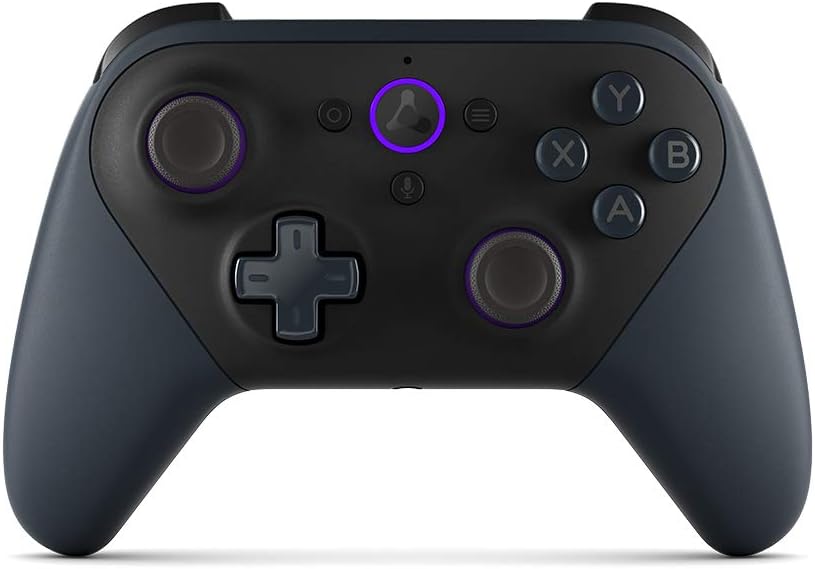
I've been playing with the Luna Controller almost daily for a few months now. Honestly, I was skeptical at first. But this controller is the reason Amazon Luna works for me. It's not just an accessory; it's the core of the experience.
Get the ControllerWhy Cloud Gaming (For Me) is the Future
Honestly: I'm tired of hour-long downloads, constant updates, or spending 500€ on a new console that just collects dust.
With Amazon Luna, it's different. It's like Netflix for games. I launch the app on my Fire TV or laptop, pick a game, and start playing immediately. No waiting. All the processing power comes from the cloud.
And the Luna Controller is the piece of the puzzle that makes this experience truly smooth.

The "Cloud Direct" Feeling: It's *Really* Different.
Previously, when I tried cloud gaming with a normal Bluetooth controller, there was always this... tiny delay. Just enough to be annoying. The game felt "spongy."
There's Simply No Lag.
The Luna Controller is brilliant about this. It doesn't connect to my TV or laptop first. It connects via my Wi-Fi directly to the Amazon server where the game is running.
The result: It feels instant. Crisp. When I jump, the character jumps. Immediately. That's the difference between "pretty good" and "actually playable."


My Killer Feature: Seamless Switching.
This is no exaggeration, I use it all the time. The controller is your anchor in the cloud, not to your device.
Here's How It Works For Me:
I'm playing 'Assassin's Creed' on the big Fire TV in the living room. My girlfriend wants to use the TV. I pause the game. I go to the study.
I open Luna on my laptop. The controller is already connected to the cloud. I press "Resume" and continue playing exactly where I left off. No re-pairing, no Bluetooth menu. That alone is worth the money.
It Can Do More Than "Just" Luna.
I've adopted it as my main controller for everything. It's super versatile and replaces three other devices for me.
Cloud Direct (Wi-Fi)
I use this 90% of the time for Luna. It's the most responsive method. Works on Fire TV, PC, Mac, and even iPhone.
Bluetooth
I paired it with my Android tablet right away. I use it for other game apps and emulators. Works perfectly.
USB-C
When I'm playing on PC and the battery (which lasts forever) finally runs low, I just plug it in via USB-C cable. It charges and works at the same time.
How It Feels After 100+ Hours
A controller can have the best features – if it feels cheap, it's no fun. They didn't skimp here.
- ✓ Top Ergonomics: The offset thumbsticks (like the Xbox controller) are perfect for me. It feels solid and premium in hand.
- ✓ Precise Triggers: They have great, springy resistance. In racing games, I can dose the throttle perfectly.
- ✓ No Rattling: All buttons have a great click. Even after months of heavy use, everything still feels like day one.
My Honest Verdict
If you're serious about using Luna (or cloud gaming in general), this controller is almost mandatory. It brilliantly solves the biggest problem – latency. For me, it was a real game-changer that made my old PC and console unemployed.
Get the Controller